
Where the requirement lands.
Leads, follow-ups and listings in one app.
- Branch
- Wasalt Business
- Platforms
- App · Landing page (desktop and mobile web)
- Role
- Associate UX/UI Designer, Quara Digital
Brokers and developers sell on follow-up: who asked, what they want, when to call back. Wasalt Business puts that in one app, next to the listings, instead of in a contacts list and a memory.
It does four jobs. You add leads yourself, one at a time or several from your phone’s contacts. You set reminders for calls and meetings. Wasalt sends you leads from the platform, including the requirements buyers share in Matchmaker. And a Status Trail keeps the history of every lead.
It’s a work tool, opened many times a day. So the dashboard answers one question first: what needs me today? I designed the app and the landing page that sells it.
01 / Wasalt Business
Getting in
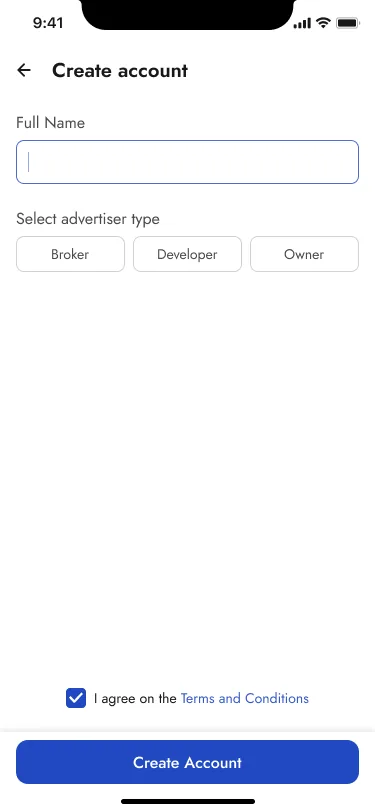
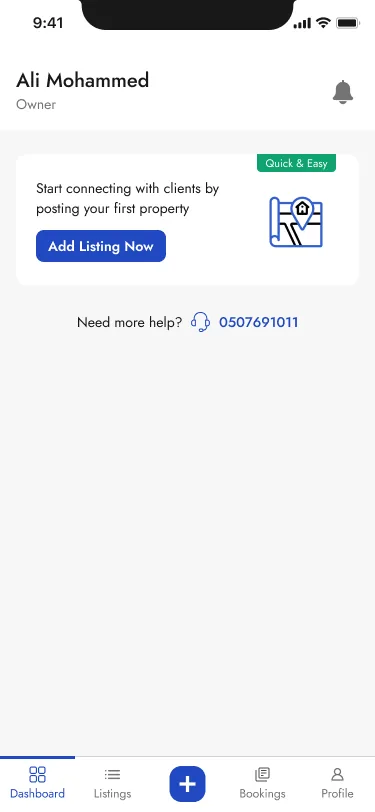
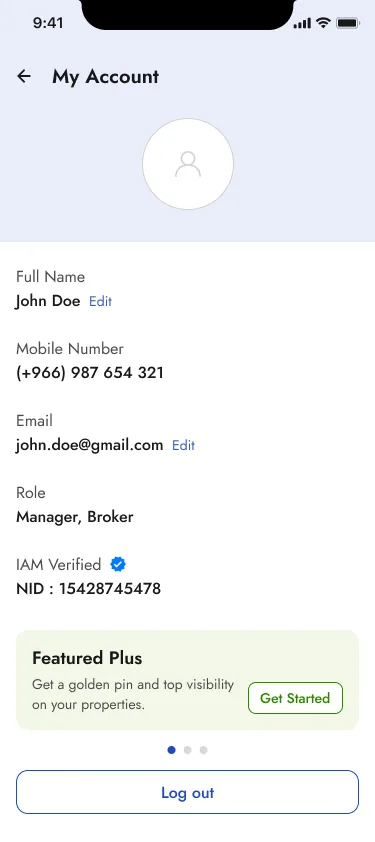
Sign-up asks one thing before any other: are you a broker, a developer or an owner? The answer decides what the rest of the app shows, so it comes first and only once. A first-time owner then sees one action, Add Listing Now, and a number to call for help.
02 / Wasalt Business
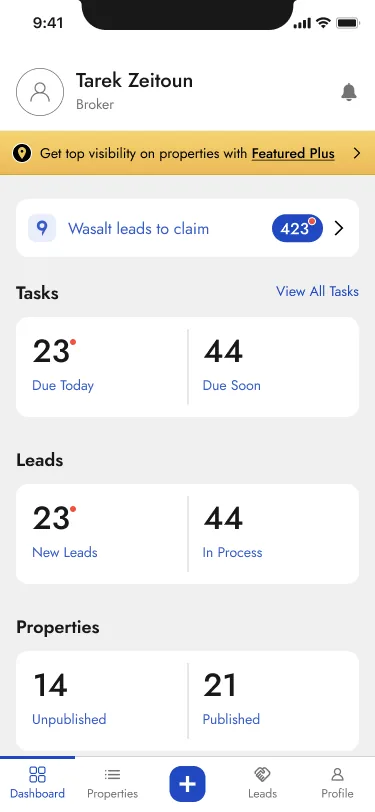
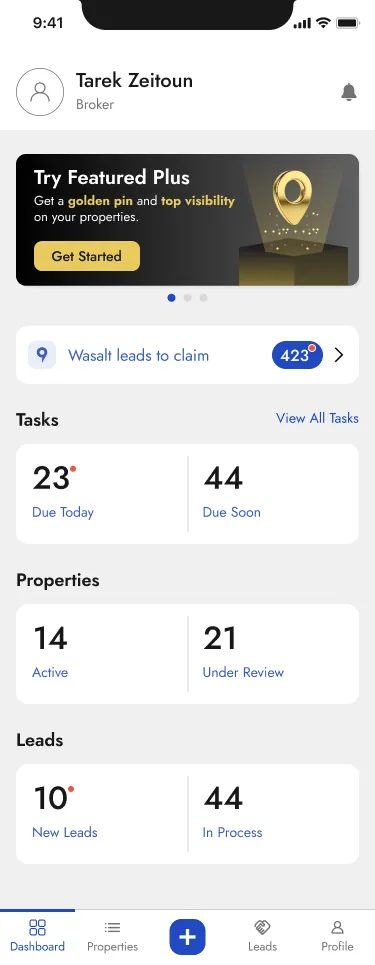
A dashboard that answers “what now?”
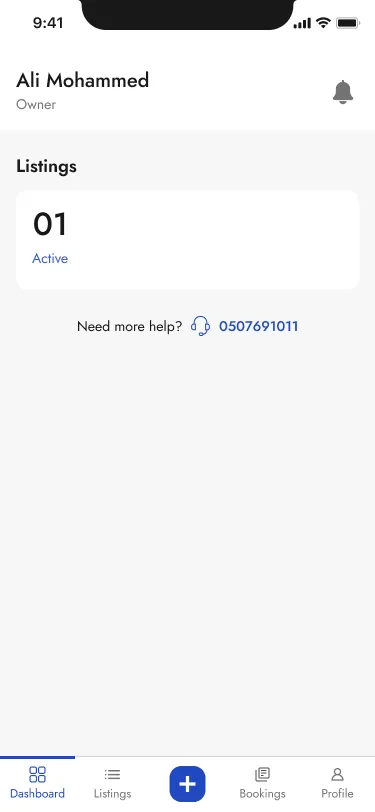
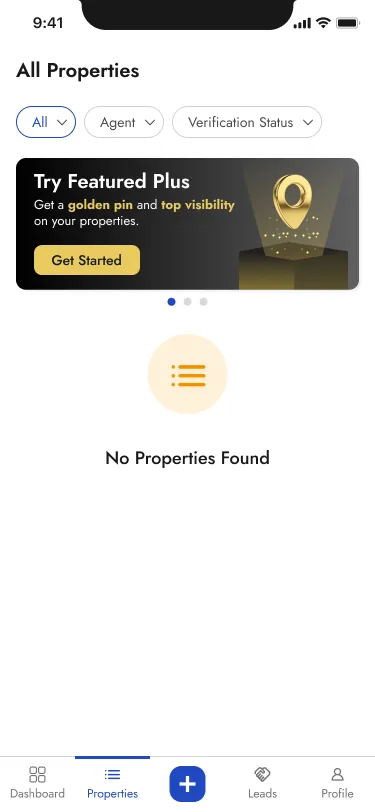
Tasks, leads and properties are three big numbers you can tap. Tasks come first because the app’s promise is a missed call or meeting never happens: the reminders you set on a lead show up here. Matchmaker leads waiting to be claimed sit on top. Empty states say what to do, not just that there’s nothing.
03 / Wasalt Business
Posting a listing
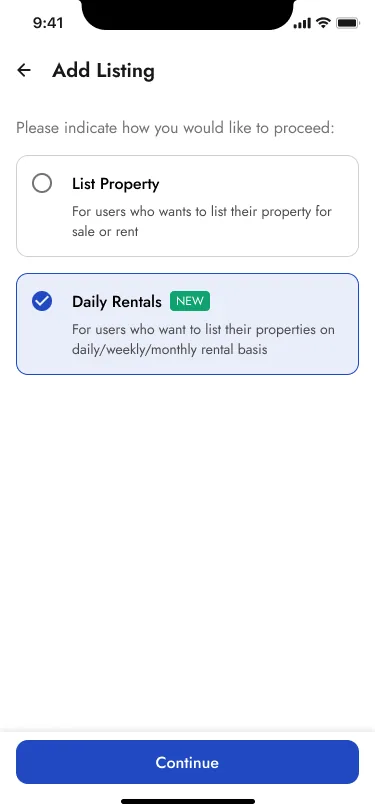
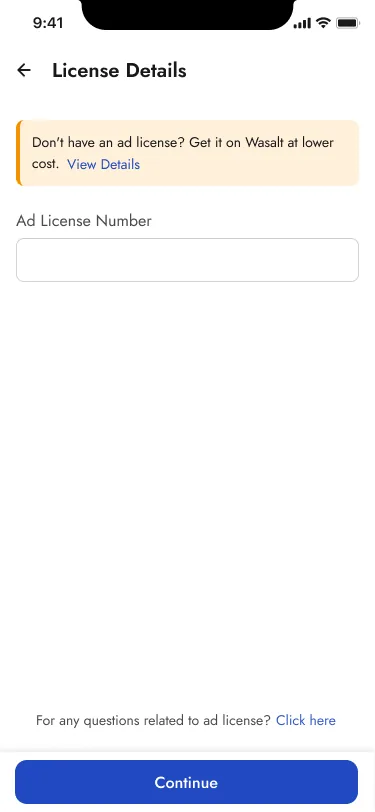
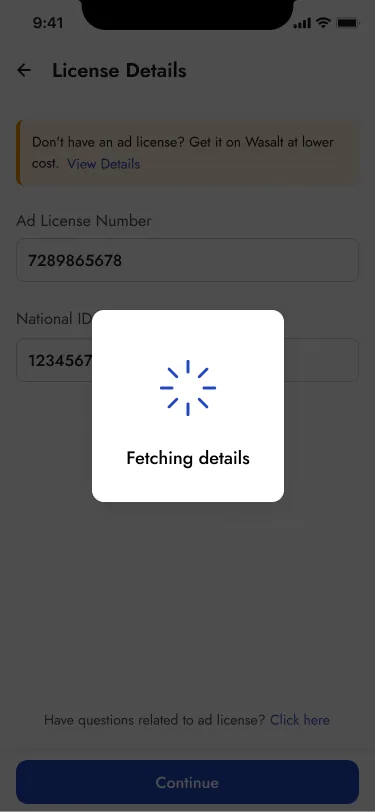
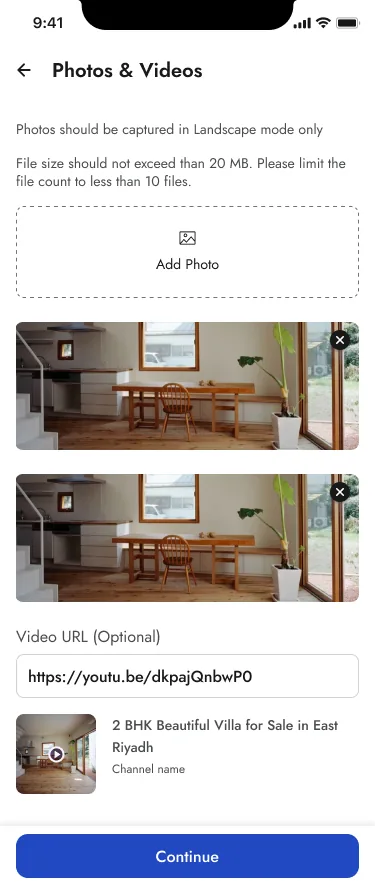
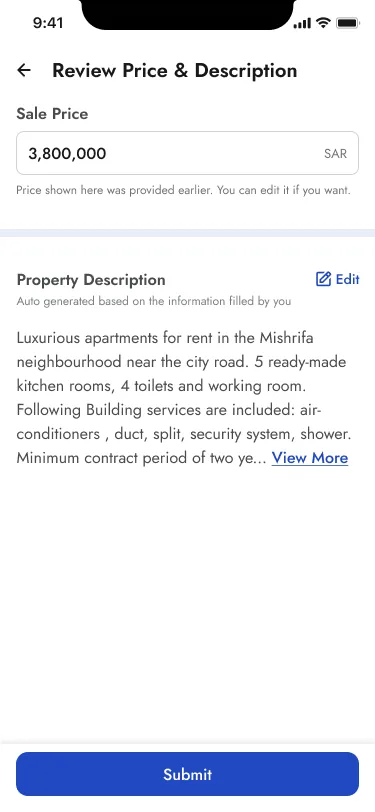
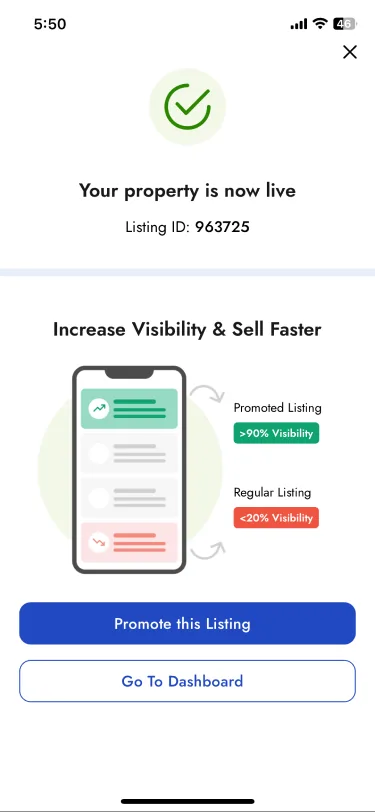
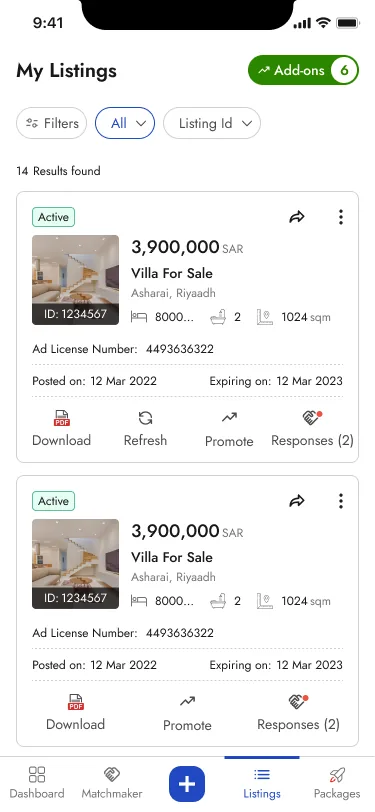
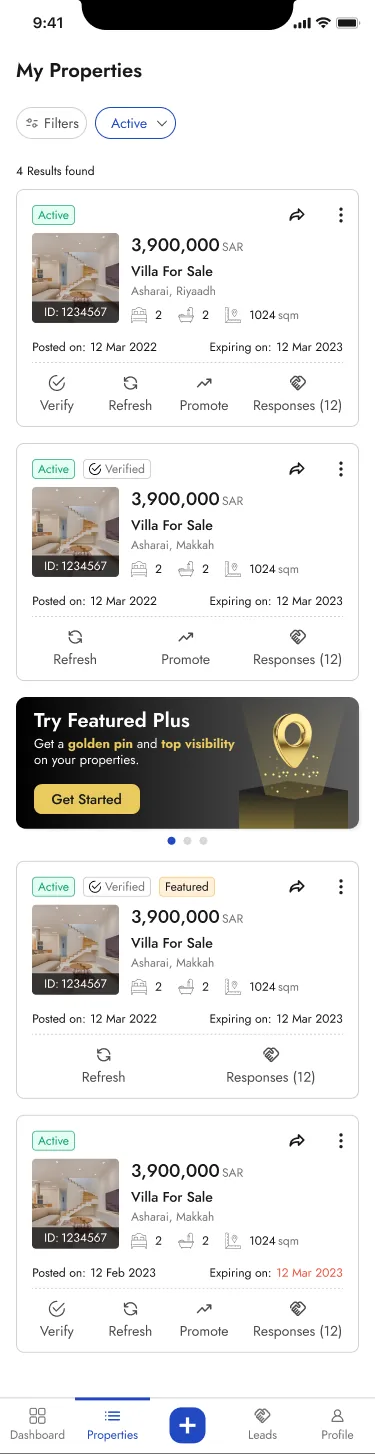
Listing a property starts with a legal step, the ad licence number. Then photos, then price and description. The description is drafted from the details already entered, and the owner edits it.
04 / Wasalt Business
Adding leads, claiming leads
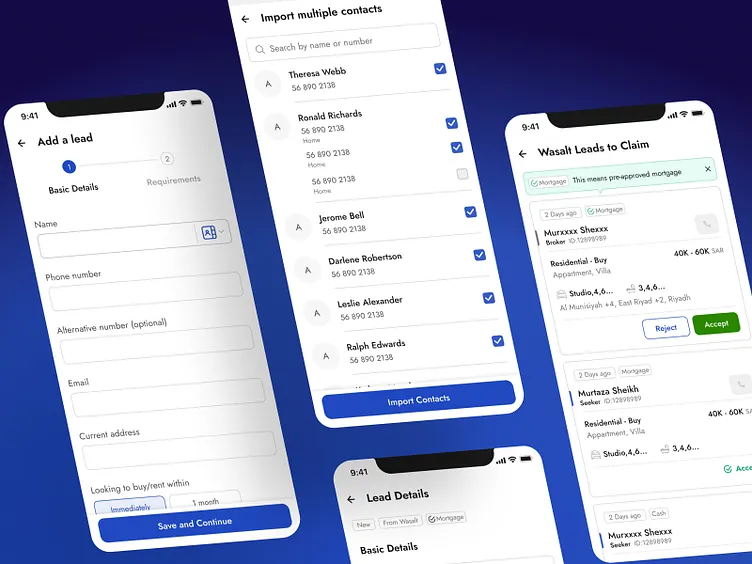
A broker’s leads come from two places: the ones they add themselves and the ones Wasalt sends. Adding one is two steps, Basic Details then Requirements, and the alternative number is the only field marked optional. A contact icon beside the name pulls a person from the phone, and Import Multiple Contacts takes a whole batch with one tap on Import Contacts, so a broker who already has the list never retypes it.
Wasalt’s leads wait in their own queue, Wasalt Leads to Claim. Each is a short card: how long ago it arrived, mortgage or cash, budget, property type and area, then Reject or Accept. A banner spells out what the Mortgage tag means (a pre-approved mortgage), so nobody has to guess.
05 / Wasalt Business
Working the leads
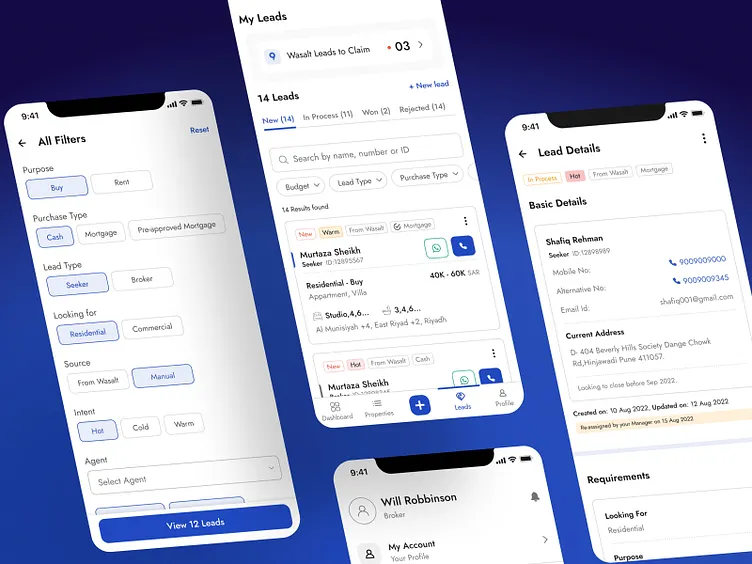
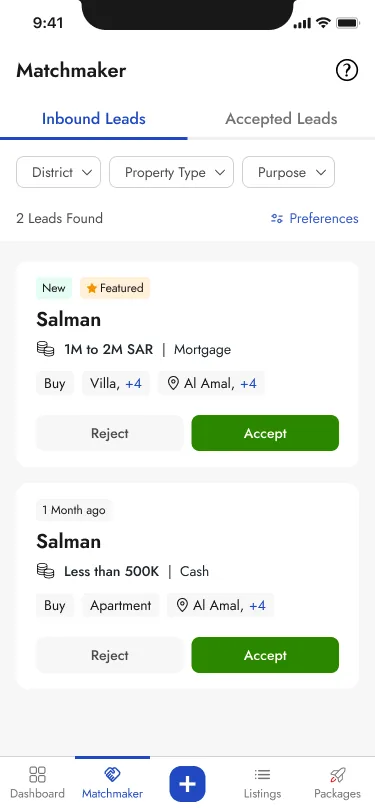
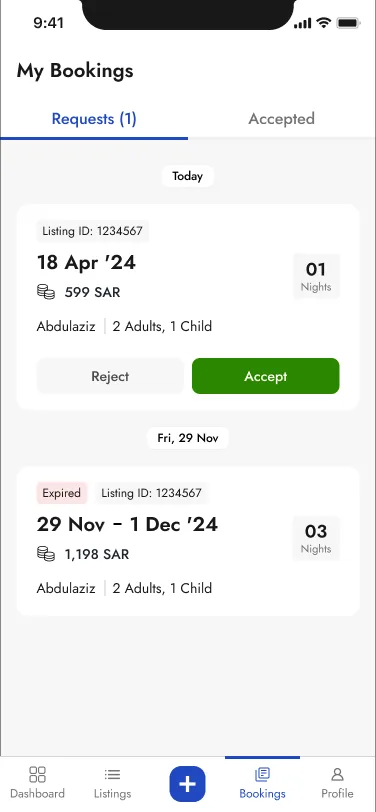
Claimed leads join the rest in My Leads, split into New, In Process, Won and Rejected with a count on each. Every row has a call and a WhatsApp button, so the next step is one tap. All Filters narrows by purpose, purchase type, lead type, what they want, source (from Wasalt or added by hand), intent (hot, warm or cold) and agent, and the button shows the result: View 12 Leads. Lead Details keeps the file in one place: contact, address, requirements, and the dates it was created, updated and reassigned. A Matchmaker lead reads like a short brief: name, budget, mortgage or cash, property type and area, enough to decide without opening anything. Accept or reject is one tap. Daily-rental bookings follow the same pattern.
06 / Wasalt Business
Paying to grow
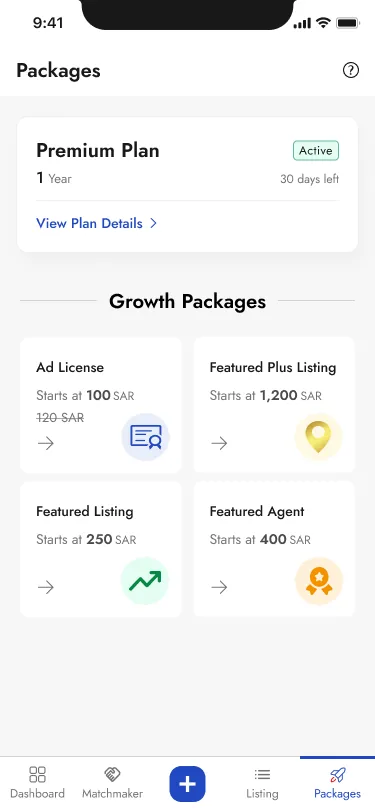
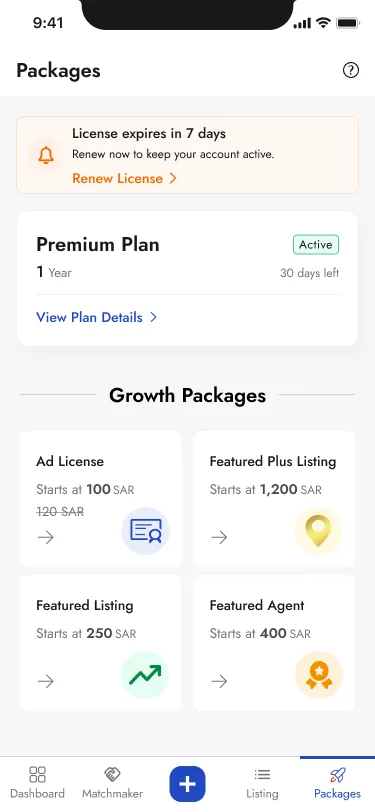
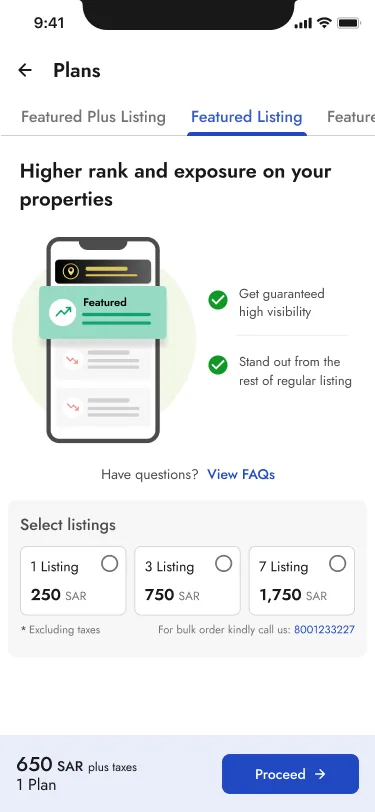
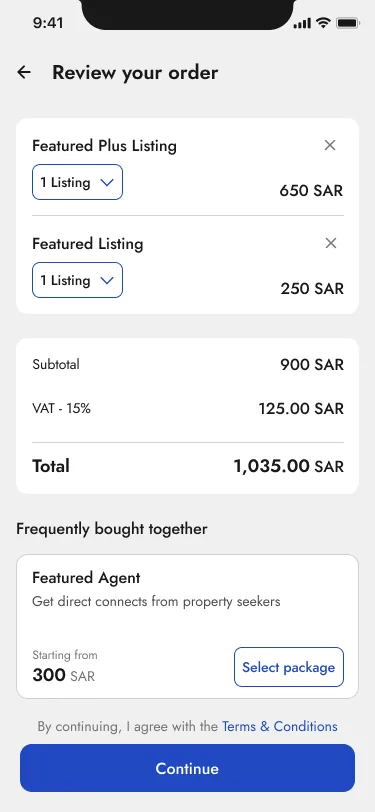
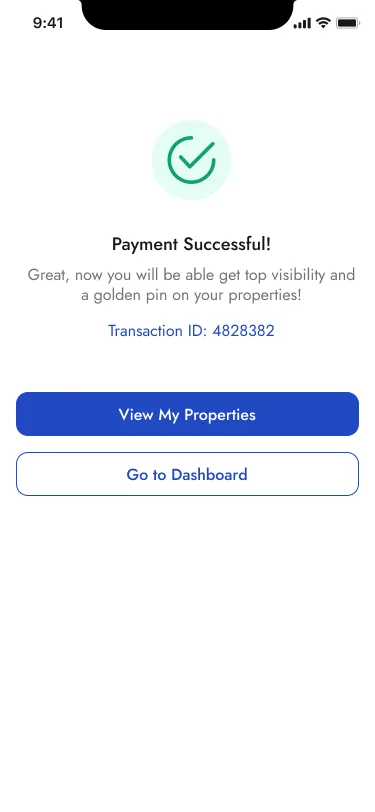
Growth packages are priced on the card, from 100 SAR for an ad licence. A licence about to expire shows a warning right where you’d renew it. Checkout is one review screen, VAT included.

07 / Wasalt Business
Selling the app to brokers
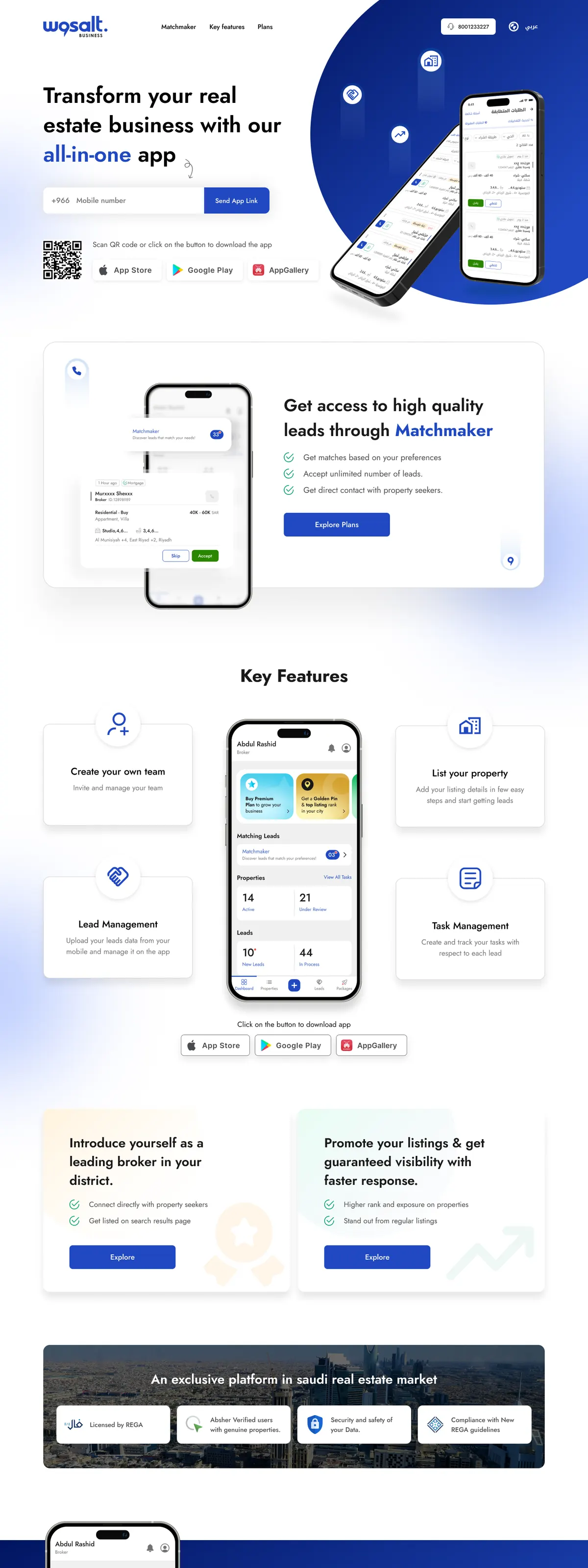
Brokers have to want the app first. The landing page leads with Matchmaker leads and puts the plans side by side. It was designed for desktop and mobile web.


What it adds up to
6 things this branch got right.
- A dashboard built around today’s tasks, not a menu.
- Every lead keeps its Status Trail, so its whole history is one look away.
- The legal step comes first, so a listing never stalls halfway.
- Leads read like briefs and take one tap to accept.
- A whole contact list imports in one go, and intent is a tag you can filter by.
- Prices are visible before checkout, VAT included.